AltJ
In the editor
One-shot line-jump hints over every visible line. Type the label, the cursor teleports.
VimCode paints jump labels on your editor lines and across the whole IDE — Activity Bar, tabs, panels, lists, terminals. Type the label, land where you wanted. No mouse required.
Alt+J in the editor · f in a list or tree · Esc for command mode
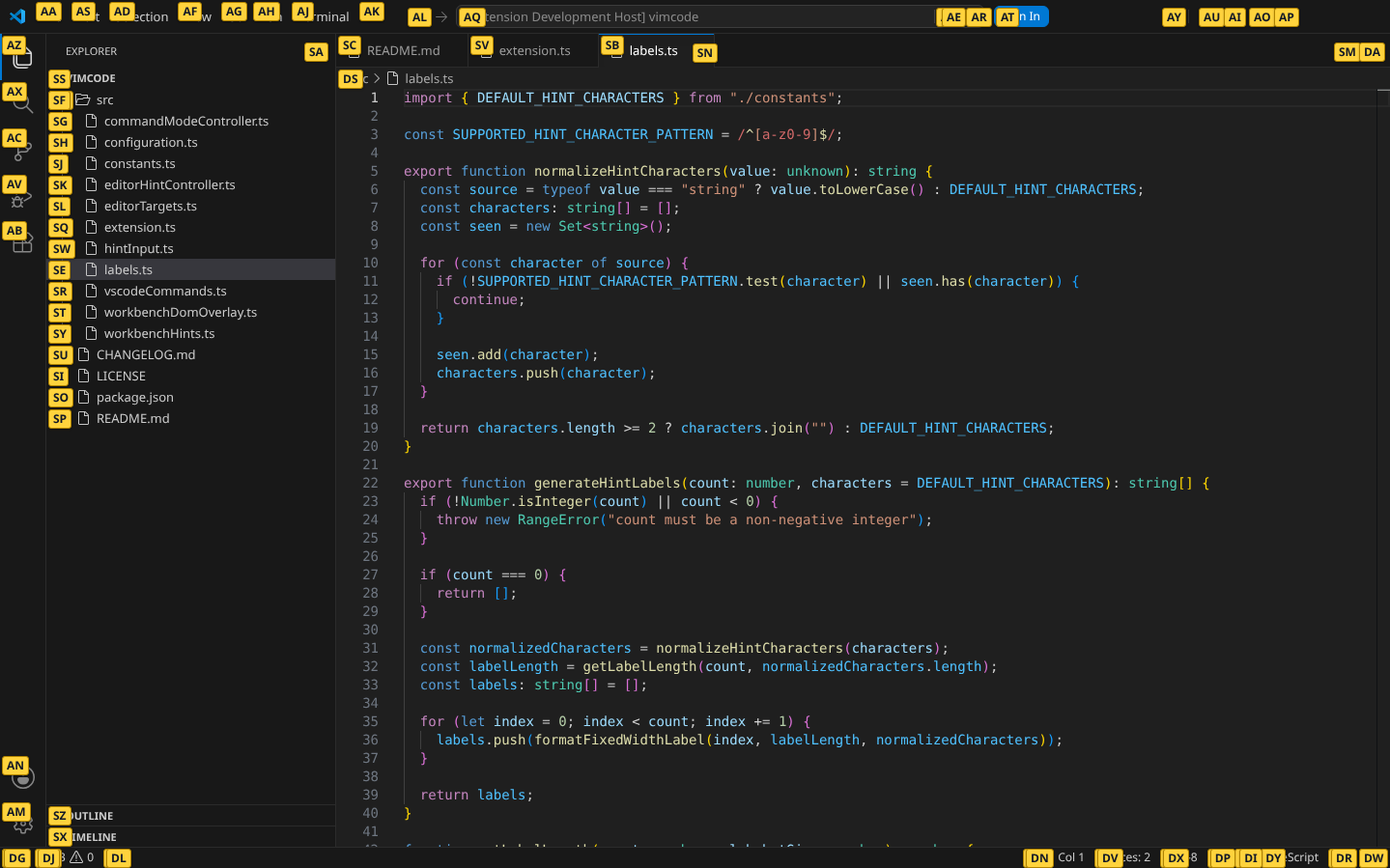
One-shot line-jump hints over every visible line. Type the label, the cursor teleports.
Press f in a focused list, tree, or status bar to open IDE hints.
A tiny Vim normal-mode for the editor: h j k l, g g, scroll, then i to type again.
Type a label to jump to a visible line. Scrolling, editing, or switching editors dismisses the labels.
Label open tabs, Activity Bar entries, Explorer controls, panels, terminals, status bar and settings — then run them by name.
VS Code has no normal mode, so VimCode adds one. Esc swallows text input, shows -- COMMAND --, switches to a block cursor.
Launch VS Code with a local debugging port to see labels directly on workbench tabs, buttons, and controls.
With a list or tree focused, j/k move, h/l collapse/expand, Enter selects — straight from Vim muscle memory.
Custom hint alphabet, hint caps, blank-line toggle, exact-match auto-accept. Bare keys never leak into editors, inputs, terminals or webviews.
Filter by context or search for an action. Each binding shows where it's active.
When a text editor is focused
After Esc in the editor · -- COMMAND --
Focused workbench list, tree, or status bar
When a list or tree is focused outside the editor
While hint labels are on screen
Inside another extension's UI (chat panels, etc.)
No bindings match your search.
Press Alt+J in the terminal for IDE hints.
Bare f / ShiftF deliberately stay quiet inside editors, inputs, the terminal and webviews, so they never swallow what you type.
Rebind anything in Keyboard Shortcuts under the vimiumCode.* commands.
VimCode is a UI extension — install it on the machine where the window runs.
Search for harimo9.vimcode in the Extensions view, or install from the command line.
$ code --install-extension harimo9.vimcodeIf you already have a .vsix file, open the Extensions view menu, select Install from VSIX…, and choose the file.
Open a file and try these shortcuts.

Star it on GitHub, file an issue, or read the deep-dive on how the keybindings actually work.